To view your account statement

1. From the Main Menu select Account.
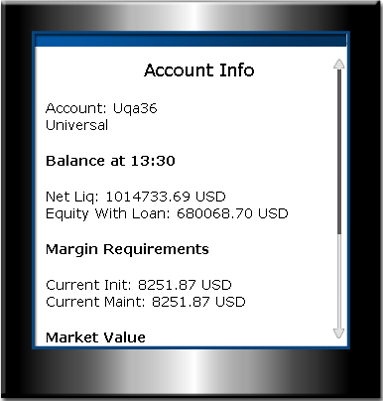
2. View your Account Info, which includes:
Account number and type
Real-time account Balance, including
Net Liquidating Value - the total of all assets (position value and cash deposited with IB) marked to market at the time and price listed
Equity with Loan Value - your cash balance combined with the stock market value
Margin requirements, including
Current Initial - the initial payment required for a margin transaction.
Current Maintenance - the amount of funds you must maintain in your account when holding positions, to avoid liquidation. Maintenance margin is updated on a real-time basis, and its value will fluctuate according to market movement.
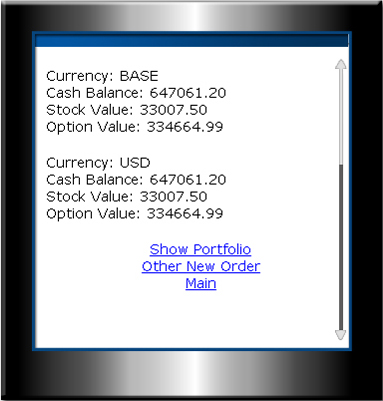
Market value of your account including
Cash Balance -
Stock Value
Option Value