To view execution reports

1. From the Main Menu select Executions.
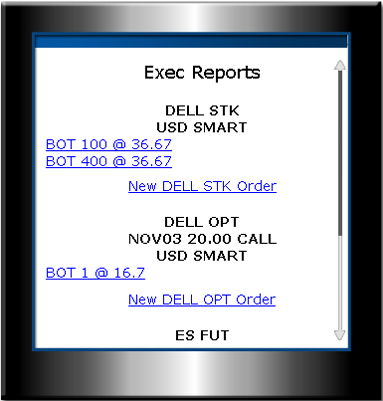
2. Execution reports are listed alphabetically by underlying. Select a report to view details.
View Execution Reports
To view all execution reports for trades executed on MobileTrader, from the Main Menu select Executions. You can also view executions for a specific order as they are being reported by selecting a specific execution report at the bottom of the Order Management screen.
|
To view execution reports |
|
|
1. From the Main Menu select Executions. |
|
|
2. Execution reports are listed alphabetically by underlying. Select a report to view details. |
|
|
|
|
|
|
|
|
|
|
|
|