Use BookTrader Functionality
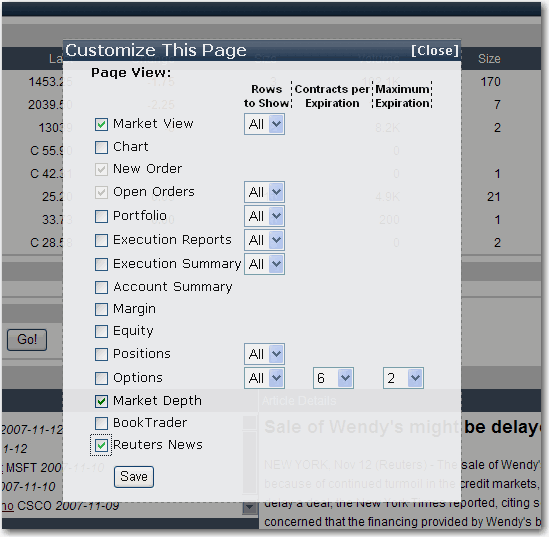
BookTrader allows you to view deep book data for the selected contract, and create and transmit orders with a single click. You can add the BookTrader module to any WebTrader page via the [Customize This Page] feature.
To add BookTrader to a page
Click [Customize This Page] in the top right corner of any WebTrader page.
Check BookTrader and click Save to close the list and load the feature.
The BookTrader module appears in the bottom right of the page populated with a default symbol. To send orders with BookTrader, click the Bid Size or Ask Size blocks at a specific price level.